
A customer asks for a quote. The owner plans to reply after finishing a job. Another enquiry arrives, the phone rings, and the first request disappears beneath newer messages.
This is the problem your service should solve: enquiries being forgotten.
To start, choose one business type, identify one follow-up gap, map the process, and build a small demonstration. Test it, show it to an owner, and offer a limited pilot. You do not need a large AI agency first.
What Is an AI Lead Follow-Up Service?
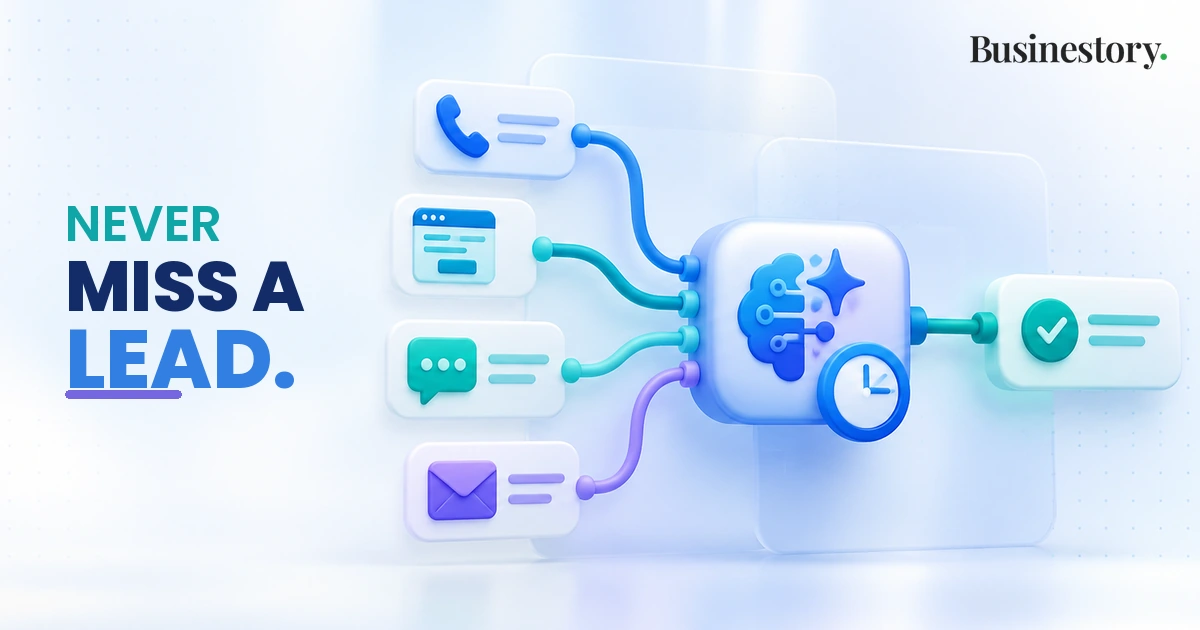
It is a service that organises incoming enquiries and helps businesses take the next action consistently. AI can assist with sorting messages or drafting replies, while simple automation handles records and reminders.
An enquiry becomes a lead record, receives an acknowledgement, and moves toward a callback, quote, or booking. A person takes over when needed, and the outcome is recorded.
Potential clients include local services, appointment businesses, consultants, agencies, and home-service businesses receiving regular enquiries through calls, website forms, WhatsApp, social media, or ads.
How to Start an AI Lead Follow-Up Service
Step 1: Choose One Type of Small Business
Start with a niche such as home-cleaning companies. Learning one industry’s questions, schedules, and working habits makes your first system easier to build.
Step 2: Find One Important Follow-Up Problem
Ask owners where enquiries get stuck. Perhaps quote requests arrive while cleaners are working, and nobody remembers to call back. Solve that specific gap before adding other features.
Step 3: Map the Current Enquiry Workflow
Write down where enquiries arrive, who reads them, where details are stored, and how follow-up happens. Identify the person responsible for each step, including exceptions.
Step 4: Build One Simple Demo Workflow
Connect one enquiry form to a lead database, an approved acknowledgement, and a staff reminder. Let AI suggest a service category or draft a reply for review.
Step 5: Test It With Sample Enquiries
Use fictional information. Try normal requests, missing phone numbers, duplicate submissions, complaints, and opt-outs. Check both the messages and the resulting staff tasks.
Step 6: Approach a Potential First Client
Offer a short workflow audit or demonstrate how a forgotten request becomes an assigned task. Explain what improves, what remains manual, and what the owner must do.
Step 7: Run a Small Pilot
Agree on one channel, a short trial period, message rules, and a staff owner. Compare overdue tasks and unhandled enquiries before and during the pilot. Expand only after reviewing real use.
Build the First Simple Workflow
Use this sequence:
Enquiry arrives → details are stored → acknowledgement is sent → next action is identified → reminder or follow-up happens → human takes over when necessary → final outcome is recorded.
For example, a cleaning enquiry form collects contact details, location, and the requested service. A CRM, which tracks customer relationships, or a simple lead database stores these details alongside status, owner, and next-action date.
Workflow automation connects the steps. An approved message confirms receipt without promising a price or appointment. AI can classify the request as regular cleaning or a one-time job, or draft a clarification question.
The assigned employee receives a notification. A calendar booking link can help arrange a call using actual available slots. If the customer has not replied, an agreed follow-up becomes due.
Record outcomes such as booked, declined, or awaiting information. Simple reporting shows open leads, overdue actions, and failed messages. Stop scheduled follow-ups after a reply, booking, or opt-out, and decide the next step from the updated record.
Practical Problems You Will Face
Real enquiries are messy. Customers omit details, submit twice, or switch from email to WhatsApp. Disconnected tools can leave staff looking at different versions of the same conversation.
AI replies may sound inappropriate, misunderstand a request, or include outdated prices. A customer asking about a damaged item needs attention, not another booking reminder.
Other problems happen behind the scenes. Staff ignore notifications, an account connection expires, or automation fails halfway through. One enquiry might be stored without its reminder being created.
Opt-out requests must also stop further follow-up. Unusual requests, unclear circumstances, and serious complaints require someone who understands the business.
How Technology Can Reduce These Problems
Keep one main lead record with contact details, conversation notes, current status, owner, and next action. Match possible duplicates using email or phone details, but review uncertain matches before merging.
When customers change channels, staff should update that same record. If a channel cannot connect reliably, include a manual update step.
Use approved templates for routine messages. Keep business facts in a maintained reference, and require approval for price changes. Validate contact information, message content, and follow-up eligibility before sending.
Set clear escalation rules. Missing facts, complaints, or uncertain AI classifications should create a human task rather than trigger a guessed reply.
Logs should show which steps succeeded. Alerts should flag failures and overdue tasks, with a backup person responsible for checking them. Before retrying a failed step, check whether its message already went out.
Test changes before release and review failed or unusual cases regularly. Technology should reduce repetitive work while preserving important human judgment.
When Not to Automate
Do not let AI make sensitive decisions, promise unusual discounts, or send uncertain information automatically. Serious complaints need human escalation.
Human handoff is part of a good system. It should transfer the conversation and relevant details, name the responsible person, and pause automated messages while that person handles the case.
How to Find the First Client
Look for businesses in your niche already receiving enquiries. Their websites, booking forms, and advertised services can help you identify candidates. Ask about their process rather than assuming they have a problem.
Speak to a few owners. Ask: “How do you know which enquiries still need a reply?” Look for repeated gaps, such as requests stored only in an inbox.
How to Find Your First Potential Customers for an Online Business can help you organise this search.
Show a demo using fictional leads. Offer a limited pilot covering one source, staff training, and a review meeting. Define support, exclusions, and responsibilities using How to Create a Clear Offer for Your Online Product or Service.
Sell fewer forgotten enquiries and reliable follow-up. Automation does not automatically increase sales.
How This Business Makes Money
You can charge a one-time setup fee for mapping, configuration, testing, and training. Monthly monitoring and maintenance can cover checks, troubleshooting, and routine updates.
Workflow improvements, additional integrations or channels, and reporting or support packages can carry separate fees with clear limits.
Price around delivery time, software costs, support demands, and complexity. State who pays subscriptions and usage charges. How to Price Your First Online Product or Service provides a starting framework.
Keep startup costs low by building the demo with existing or trial tools. Learn basic workflow mapping, database setup, testing, and client communication before selling.
Clients pay for setup, reliability, maintenance, troubleshooting, workflow improvement, and fewer enquiries being forgotten. Protect that value by collecting only necessary details and restricting access to approved staff.
Simple First-Client Action Plan
Choose one niche → speak to a few businesses → identify a repeated follow-up problem → map the workflow → build a small demo → test it → show a potential client → offer a limited pilot → improve from real use.
Final Insight
A valuable AI service does not automate everything. It makes one important business process more reliable.
Start by solving one real follow-up problem well. Expand only when the workflow is proven.