
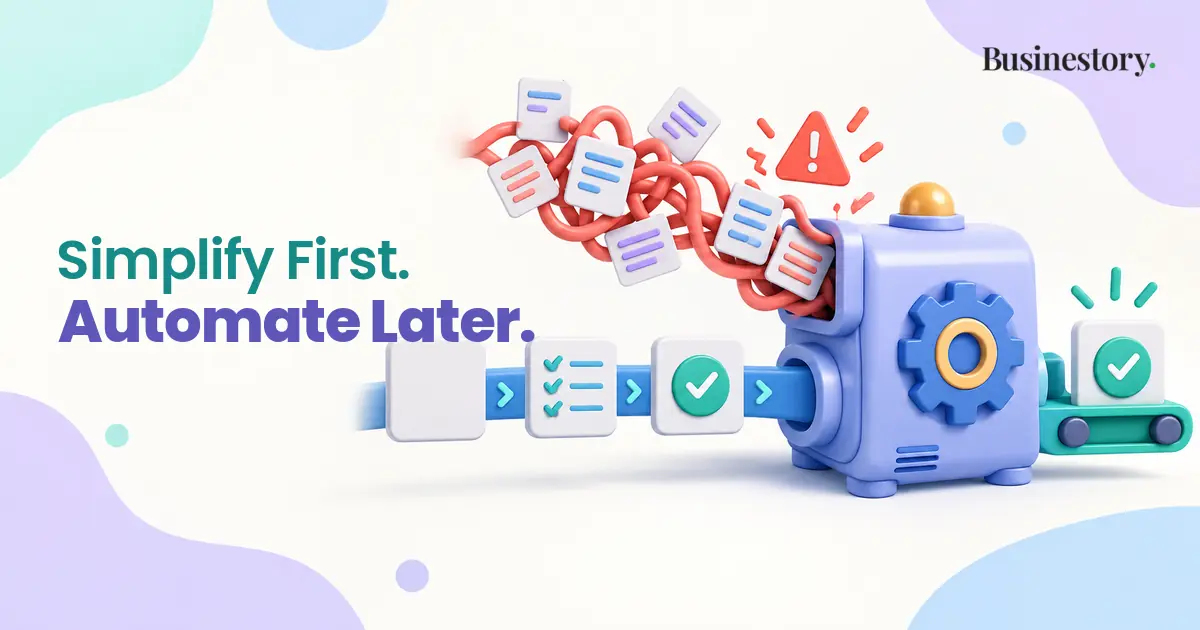
Many beginners believe automation always saves time.
The idea sounds reasonable. If a tool can complete a task automatically, you will have more time for important work. Automation can certainly create this benefit. But it works well only when the underlying process is clear, repeatable, and reasonably stable.
If the process is confusing, automation may simply make the confusion happen faster and on a larger scale.
Manual, Standardised, and Automated Work
These three stages are different.
Doing a task manually means completing each step yourself. For example, you may read a customer’s order, prepare a delivery email, and send the correct download link.
Standardising a task means deciding on a consistent method. You might create a checklist showing what information to check, which email template to use, and how to confirm delivery.
Automating a task means allowing a system to perform some or all those steps based on predefined rules.
Beginners often try to move directly from manual work to automation. However, the manual stage helps you understand what really happens. The standardisation stage helps you simplify it. Only then can you decide which parts are safe and useful to automate.
A good principle is:
Manual first, standardise second, automate third.
Automation Does Not Remove All Work
Automation replaces certain actions, but it also creates new responsibilities.
You must set up triggers, connect accounts, choose rules, and test workflows. After the automation starts running, you must monitor failures, fix broken integrations, and update the workflow when a connected tool changes.
You may also need to check for duplicate actions and handle unusual cases manually.
For example, imagine that a customer completes a payment. An automation generates an invoice, adds the customer to an email list, and sends a delivery link. This sounds efficient.
But what happens if the payment is delayed? What if the customer enters the wrong email address? What if the invoice is created twice? What if the delivery link has expired?
The automated system still needs supervision.
Understanding Automation Debt
“Automation debt” means the collection of automations, integrations, rules, and connections that a business must continue to monitor, update, repair, and remember.
A single automation may be easy to manage. Problems can begin when several tools depend on one another.
The business owner may eventually forget why a particular rule exists, which account controls it, or what other workflows depend on it. A small change can then produce unexpected results in several places.
Automation debt is similar to owning equipment. The equipment may save labour, but it also requires maintenance. The more complicated the system becomes, the more maintenance it may need.
This does not mean automation is bad. It means the maintenance cost must be included when deciding whether an automation is worthwhile.
Why Automation Feels Attractive
Building an automated system can feel like building a serious or scalable business.
Connecting tools, creating rules, and watching tasks happen automatically can create a strong feeling of progress. However, the underlying task may not yet have been proven useful.
A beginner might spend several days automating a lead collection process before discovering that very few suitable leads enter the system. Another person may build a complicated product-delivery workflow before making regular sales.
In these situations, the system exists, but the business need is still uncertain.
This psychological attraction is understandable. Designing a system can feel more organised than doing uncertain customer or sales work. But complexity is not evidence that a business is growing.
The Risk of Automating Uncertainty
“Automating uncertainty” happens when a business has not yet decided exactly how a task should be handled.
Automation can lock an immature decision into the workflow.
Suppose you automatically send the same support response to every customer who uses the word “problem.” At first, this may appear efficient. After reading more messages, however, you may discover that customers are reporting very different problems.
Some cannot log in. Some have failed payments. Others are requesting refunds or asking how to use the product. A single automatic response may confuse or frustrate them.
Handling these messages manually for a while would help you recognise the main categories. You could then create clearer rules for simple cases while keeping complicated cases manual.
Exceptions Can Remove the Benefit
A task may look repetitive until exceptions begin to appear.
Unusual customers, failed payments, missing information, refunds, special requests, and technical errors can all require a different response.
If an automated workflow needs frequent manual correction, it may not save much time. You could spend more time investigating the workflow than you previously spent completing the original task.
Before automating, observe how often exceptions happen. If most cases follow the same clear steps, automation may work well. If every case needs judgment, keeping the process manual may be simpler.
Silent Failures Are Especially Dangerous
A manual mistake is often noticed while the task is being completed. An automation can fail silently and remain unnoticed.
An invoice might not be generated. A customer might receive the wrong email. A form might send data to the wrong place. Duplicate notifications might be created, or a delivery link might fail.
These failures can continue until a customer complains.
Every important automation should therefore have a simple verification method. This might be a delivery confirmation, an error notification, a daily activity record, or a regular manual check.
The goal is not only to make the automation run. You must be able to confirm that it completed the intended task correctly.
Connected Tools Create Dependencies
An automated workflow may depend on several connected services.
One tool collects information, another stores it, and a third sends a message. If one service changes its API, permissions, pricing, or features, the entire workflow may stop working.
Account access can expire. A field name can change. A feature may move to a more expensive plan. A connection may need to be authorised again.
The more services involved, the more possible failure points exist. Beginners should therefore prefer the smallest system that reliably completes the task.
Adding automation can also increase the number of tools and connections your business must maintain.
Tasks That Are Ready for Automation
Automation is usually most useful when a task is:
- Repeated frequently
- Predictable
- Based on clear rules
- Low-risk when handled automatically
- Stable enough that its steps will not change every week
A blogger might automate routine website backups or scheduled publication reminders. A freelancer might automate confirmation that an enquiry form was received.
A digital product creator could automate delivery after a confirmed payment, provided failed payments and refund requests have separate checks. A service business might automate appointment reminders while keeping unusual scheduling requests manual.
Some tasks should often remain manual for longer. These include unusual customer complaints, important pricing decisions, complex refund decisions, strategic choices, and situations requiring judgment.
Use an Automation Readiness Test
Before automating a task, ask:
- How often does this task happen?
- Are the steps already clear?
- Are there many exceptions?
- What happens if the automation fails?
- Can the result be checked easily?
- Does automation save more time than maintaining it?
If the steps are unclear or constantly changing, continue manually. If the task is clear but inconsistent, standardise it first.
An SOP or a short checklist can sometimes provide most of the benefit. It reduces forgotten steps and improves consistency without introducing another tool or connection.
When automation is appropriate, begin with one small, stable task. Test it under normal and unusual conditions. Monitor the result before connecting other parts of the business.
Review Automation Every Quarter
Once every three months, conduct a simple automation audit.
Check what still works, what frequently fails, and what is no longer needed. Look for duplicate actions and workflows that create more work than they remove.
Also ask whether any automation should return to a simpler manual process. Removing an unnecessary workflow is not a step backwards. It can make the business easier to understand and control.
Common mistakes include automating before understanding the task, connecting too many tools, assuming automation never needs maintenance, failing to monitor results, and automating high-risk decisions.
Good automation supports a process that already makes sense. It does not create clarity by itself.
Start manually, learn from real situations, standardise the useful steps, and automate only the stable parts. When you follow this order, automation is more likely to reduce work instead of quietly creating more of it.
Automation is most valuable after a process becomes clear. First understand the work, then simplify it, and only automate the parts that are stable enough to run without constant attention.