
A business owner sends an invoice, finishes another job, and forgets to follow up. Later, a reminder reaches a customer who has already paid. Another customer replies with a billing question, but the next reminder goes out anyway.
The problem is not simply missing emails. It is missing decisions between sending an invoice and closing it.
An invoice reminder setup service helps small businesses organise those decisions. Your client pays for a reliable payment-follow-up workflow that knows when to send, when to stop, and when a person must step in.
What You Actually Sell
You configure reminder settings, messages, payment checks, and exception handling around the client’s invoicing process.
Freelancers, agencies, consultants, contractors, home-service businesses, studios, and other small businesses that invoice customers may need this help. Look for repeated follow-up problems, not just unpaid invoices.
A beginner can start with one business type and one familiar invoicing platform. Learn through a practice account and sample invoices before handling customer information.
Start by Understanding the Existing Process
Choose a narrow starting market, such as small design studios. Ask an owner to explain what happens from invoice creation to payment confirmation.
Where are invoices created? Who sets payment terms? Who records bank transfers? Which inbox receives replies? Who approves exceptions?
Review anonymised examples of paid, overdue, and disputed invoices. Identify incorrect due dates, wrong customer emails, outdated payment links, and reminders sent after payment.
Check whether two tools already send reminders. Duplicate reminders can come from overlapping systems.
If invoice information is unreliable, fix that foundation first. How to Create Simple Invoices for Your Online Business explains the starting point.
Write down the problems before changing settings. Agree which problems your first project will cover.
Map the Decisions Before Automating
Use this workflow:
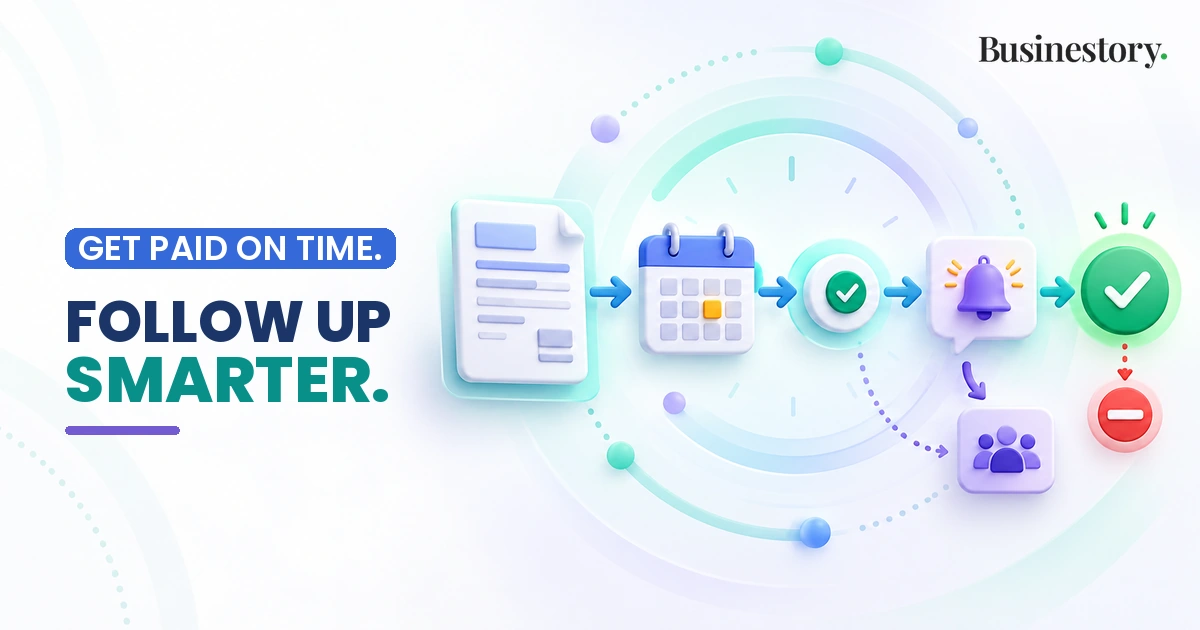
Invoice sent → due date tracked → payment status checked → reminder sent only when appropriate → customer reply, payment, or dispute detected → sequence stops or pauses → human handles exceptions → final status recorded.
Define statuses such as unpaid, partly paid, paid, disputed, and on hold. Add the next action and responsible person to each exception.
The system should check current payment status before sending whenever the platform or workflow supports it. A schedule based only on the original due date can become wrong after payment arrives.
Check how quickly payment information updates. Bank transfers and disconnected systems may require staff confirmation. If reliable automatic checking is unavailable, include a manual approval step.
Full payment should stop the sequence. A reply, dispute, negotiated payment plan, or manual hold may require a pause. A promised payment date should trigger human review and an agreed follow-up date.
Do not assume every platform detects replies or disputes. Assign someone to review the inbox and apply holds manually where necessary.
Configure a Simple, Visible System
Begin with built-in invoicing reminders where suitable. Look for reminder rules, editable templates, invoice payment links, and exclusion controls. Available features vary; verify what the client’s account supports. Xero Central
Agree reminder timing with the owner. Keep messages polite, with the invoice number, due date, outstanding balance, payment link, and reply contact.
Check the payment link against the correct invoice and balance. For payment basics, see How to Accept Payments for Your Online Business.
Use exclusion flags for customers or invoices needing personal handling. For partial payments, confirm the remaining balance and any agreement before continuing.
Keep a log of sent, skipped, and failed actions. Reminder history can help explain why a message was not sent. Add failure alerts where supported and assign manual checks when alerts are unavailable. Xero Central
Overly aggressive wording can damage customer relationships. Let the owner approve every template before activation.
Invoice Reminder Setup Worksheet
Complete this with the client before building:
| Field | Decision to record |
|---|---|
| Invoice source | System holding the authoritative invoice record |
| Payment terms | Terms already agreed with customers |
| Due-date rule | How the due date is calculated and checked |
| Reminder timing | Approved intervals and sending limits |
| Communication channel | Approved email or other permitted channel |
| Payment link | Correct invoice link and person verifying it |
| Message owner | Person approving wording and reviewing replies |
| Stop conditions | Payment; pauses for replies, disputes, plans, or holds |
| Exclusions | Customers and invoices needing manual handling |
| Partial-payment handling | Balance update, review, and next action |
| Dispute owner | Named person responsible for billing questions |
| Final escalation step | Handoff to the owner after the approved sequence |
Illustrative Example: A Small Design Studio
This fictional example shows workflow design, not client results.
A studio invoices customers after project approval. Its owner agrees to reminders three and ten days after the due date, subject to payment checks.
A customer replies that part of the invoice is incorrect. The inbox owner applies a dispute hold, pauses reminders, and assigns the question to the studio owner.
After resolution, staff record the corrected balance and agreed payment date. Follow-up resumes only under the updated agreement. When payment is confirmed, the sequence stops and the final status is recorded.
The valuable work is controlling these transitions, not writing two emails.
Test Before Approaching a First Client
Test sample invoices covering unpaid, paid, partly paid, disputed, excluded, and promised-payment cases. Test a wrong email, broken link, duplicate trigger, and failed automation too.
Send test messages only to controlled addresses. Confirm amounts, dates, recipients, pause rules, logs, and alerts. Make sure staff can disable reminders quickly.
Then approach businesses that describe chasing invoices manually or inconsistently. Find them through existing contacts, local business groups, or relevant professional communities.
Offer a workflow audit or demonstration using fictional data. You might say: “I help organise invoice follow-up, including payment checks and exceptions. I can review your process and propose a limited setup.”
Offer a small paid pilot covering one workflow and a defined invoice group. Agree success around correct behaviour, testing, and staff handover. Avoid promises of faster payment or improved cash flow.
How the Service Makes Money
Charge a one-time setup fee for discovery, configuration, testing, documentation, and handover. Price the agreed workload and complexity.
Separate paid additions can include reminder-template configuration, cleanup or migration, payment-link integration, staff training, and workflow upgrades.
Optional monitoring or maintenance can cover log reviews, failure checks, template updates, and rule changes. Define review frequency, response times, and exclusions.
Your agreement should identify who records payments, approves balance changes, and handles customer conversations. Exclude bookkeeping corrections, payment negotiation, and ongoing inbox management unless separately agreed and within your competence. The client keeps control of its accounts and receives customer payments directly. Hand over instructions for updating rules and handling exceptions.
State who pays each cost. Normally, clients own and pay for software, messaging, payment processing, and integrations; your fee covers your work. Confirm any different arrangement in writing.
Keep the service separate from legal debt collection. Never use threats, invented late fees, or unsupported legal claims. Follow agreed payment terms and applicable rules. Refer legal questions to a qualified professional.
Use invited accounts and proper permissions instead of shared passwords or OTPs where available. Request only necessary access and remove it after handover unless maintenance requires it.
For wider financial planning, read How to Manage Cash Flow in a Small Online Business.
Your First-Client Action Plan
Choose one business type. Build a tested demonstration. Complete the worksheet with a prospective client. Propose a limited paid pilot, document responsibilities, and activate only after approval. Deliver a workflow the owner can understand, pause, and maintain.